

Overview
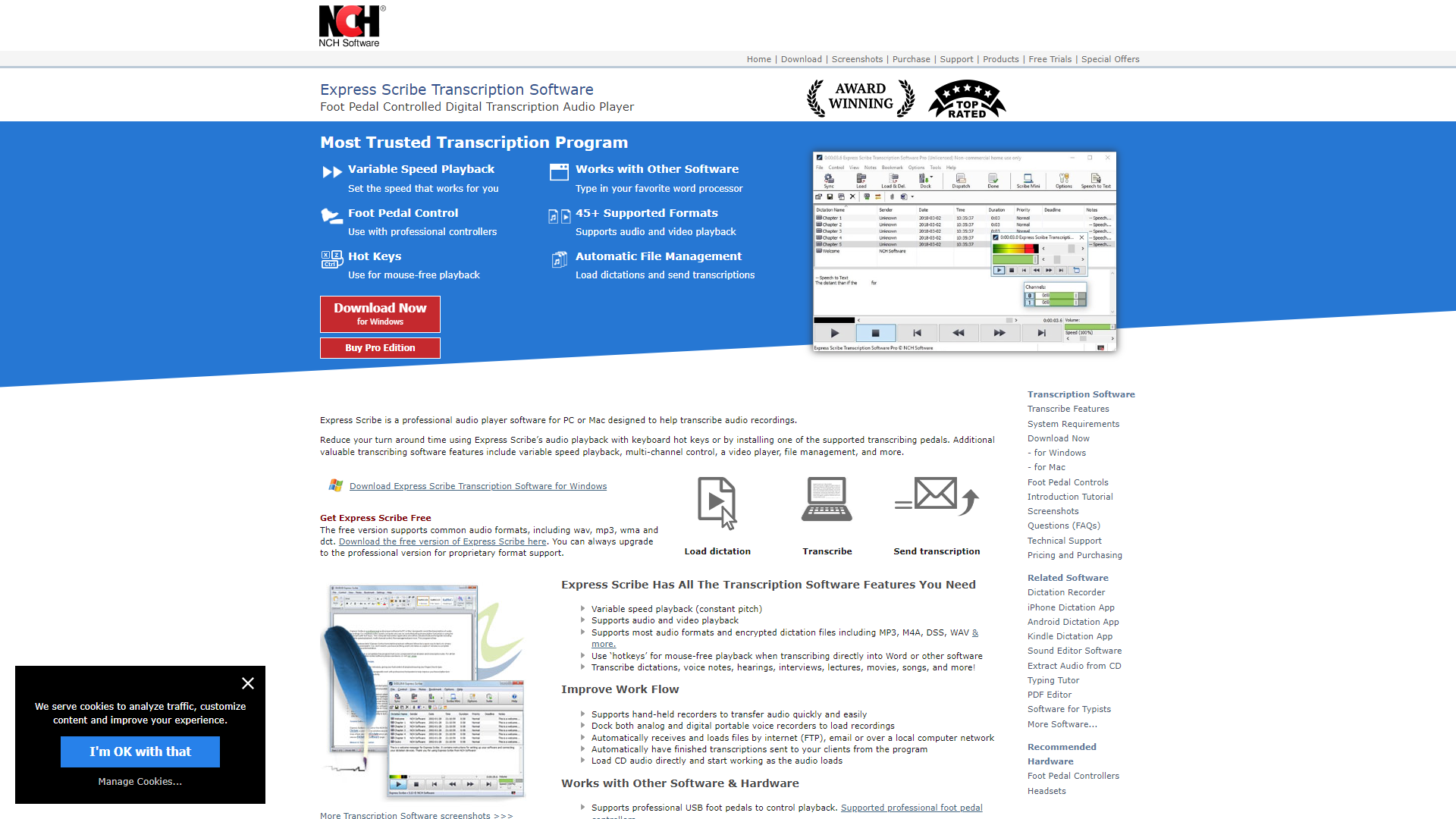
Express Scribe is a transcription software that helps you convert audio files into written text. It is widely used by transcription professionals, businesses, and students who need to transcribe interviews, lectures, and meetings quickly and accurately. With its user-friendly interface and powerful features, Express Scribe makes transcription easier than ever.
The software supports a variety of audio file formats, making it flexible for different needs. Users can control audio playback with hotkeys, foot pedals, or even voice commands. This helps speed up the transcription process, saving valuable time and improving productivity.
Express Scribe also offers features like speech recognition integration, which can assist in automating parts of the transcription. It provides options for audio enhancement and can help deal with poor-quality recordings. This software is ideal for anyone looking to streamline their transcription tasks with efficiency and ease.
Pros
- User-Friendly Interface
- Increased Productivity
- Supports Multiple Languages
- Good Customer Support
- Affordable Pricing
Cons
- Limited Features in Free Version
- Learning Curve
- Audio Quality Dependency
- Not for Video
- Requires Regular Updates
Clone Express Scribe with AI
Create your own version of Express Scribe — no coding needed. AI builds it for you in minutes.
Key features
Multi-Format Support
Allows users to work with various audio formats like MP3, WAV, and more.
Foot Pedal Control
Supports foot pedals for easy audio playback control, keeping your hands free for typing.
Speech Recognition
Integrates with speech recognition software to help automate transcription tasks.
Easy Playback Control
Offers hotkeys for fast rewinding and fast-forwarding through audio.
Audio Enhancement
Includes tools to improve audio quality, such as noise reduction.
Variable Speed Playback
Allows users to adjust the speed of audio playback for better comprehension.
File Management
Users can manage and organize their audio files directly within the software.
Cloud Storage Integration
Supports saving transcriptions to cloud services for easy access from multiple devices.
Rating Distribution
Pricing
| Plan | Price | Description |
|---|---|---|
| Professional | $49.99 (1) | Unrestricted Professional License |
| Basic | $39.95 (1) | Standard Edition |
Screenshots
User Reviews
View all reviews on G2Express scribe is best at its job. The pause forward rewind button is user friendly.
What do you like best about Express Scribe?
You van customize for your easy the rewind play pause and forward button. It also increases the volume of recording to 200x.
What do you dislike about Express Scribe?
Not dislike in a sense but it must have some settings that we can forward and rewing aud...
Issues every time my computer gets swapped out.
What do you like best about Express Scribe?
There isn't much to say about the product.
What do you dislike about Express Scribe?
Lack of customer support as there is no phone number for a quick response.
What problems is Express Scribe solving and how is that benefiting you?
It is easier to take m...
The most complete transcription based audio player on the market for individual use!
What do you like best about Express Scribe?
Express Scribe is the most cutting edge, industry-standard transcription based audio player available. It's support for a myriad of audio formats is second to none. In addition to it's file support, it has amazing hardware support for the various transcr...
Easy to use software for accurate transcription
What do you like best about Express Scribe?
I like best that it's a one-time fee rather than a subscription; what you see is what you get. The software also comes with a decent trial period to really let you get a feel for it prior to purchasing, which is great. I've used that for aspiring transcrip...
Express Scribe will help ease your Transcription Journey
What do you like best about Express Scribe?
- It has so many features geared to make the transcription process faster and easier
- It integrates and works well with other applications
What do you dislike about Express Scribe?
It is quite pricey but it is worth the money you pay for it
Recommendat...
Company Information
Alternative Voice Recognition tools
Explore other voice recognition tools similar to Express Scribe






FAQ
Here are some frequently asked questions about Express Scribe.
What is Express Scribe?
Express Scribe is a transcription software that converts audio files into written text.
Can I use foot pedals with Express Scribe?
Yes, it supports foot pedal control for easier audio playback.
What audio formats does it support?
It supports various formats including MP3, WAV, and others.
Is there a free version of Express Scribe?
Yes, there is a free version, but it has limited features.
Can I integrate speech recognition?
Yes, it integrates with speech recognition software for faster transcription.
What if the audio quality is poor?
Express Scribe offers audio enhancement tools to help improve the quality.
Is it suitable for beginners?
Yes, it has a user-friendly interface that is easy for beginners to learn.
Can I manage my audio files in the software?
Yes, you can organize and manage your audio files directly within Express Scribe.