

Overview
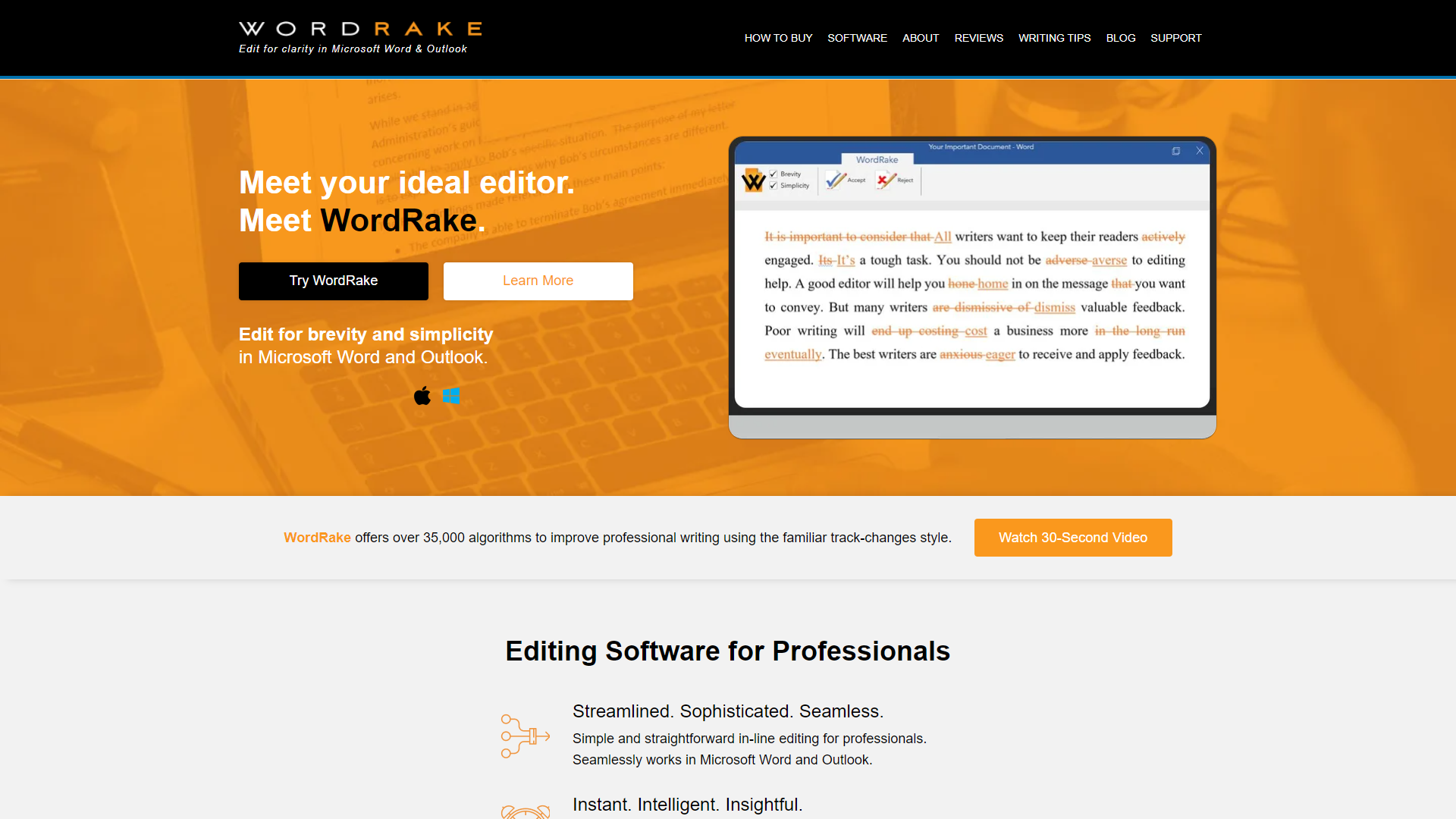
WordRake is a writing tool aimed at enhancing the clarity of your documents. This software works by analyzing your text and suggesting ways to make it more concise. By eliminating unnecessary words and phrases, WordRake helps you communicate your ideas more effectively.
One of the key benefits of using WordRake is its ability to improve readability. Whether you are drafting a legal document, creating a report, or writing an email, WordRake provides real-time suggestions to tighten your writing. This allows users to focus on their message rather than getting lost in complex sentences.
In addition, WordRake seamlessly integrates with popular word processors like Microsoft Word and Outlook. This means you can enhance your writing without changing your usual workflow. With its user-friendly interface and helpful tips, WordRake is ideal for anyone looking to improve their writing skills.
Pros
- Improves Clarity
- Saves Time
- Enhances Professionalism
- Easy to Use
- Effective Learning Tool
Cons
- Limited Platforms
- Subscription Model
- Not Always Accurate
- Internet Required
- Learning Curve
Clone WordRake with AI
Create your own version of WordRake — no coding needed. AI builds it for you in minutes.
Key features
Real-Time Suggestions
WordRake provides instant feedback as you type, helping you spot areas for improvement immediately.
Integration with Microsoft Word
Easily use WordRake within Microsoft Word, making it convenient to improve your documents.
User-Friendly Interface
The design is simple and intuitive, making it easy for anyone to use.
Grammar Checking
In addition to removing extra words, WordRake checks for grammar issues, ensuring your writing is polished.
Customizable Settings
Adjust the settings to define the style of writing you prefer, whether formal or casual.
Highlighting Options
WordRake highlights the suggestions in a clear format, allowing you to see changes at a glance.
Detailed Explanations
Alongside suggestions, WordRake offers explanations for why certain changes are recommended, enhancing learning.
Affordable Pricing
WordRake offers various pricing options, making it accessible for both individuals and teams.
Rating Distribution
User Reviews
View all reviews on G2powerful editing tool
What do you like best about WordRake?
The user interface is intuitive, allowing for quick acceptance or rejection of suggested edits. This ease of use, coupled with the time-saving automation, has significantly reduced the time I spend on manual editing. Additionally, using WordRake regularly has he...
WordRake
What do you like best about WordRake?
I personally I love WordRake. It is by far the most sophisticated style editor out there, especially for legal briefs and other documents that are already good, but need tightening. A major improvement over MS editing functions, and no competitor even comes clos...
Company Information
Alternative Proofreading tools
Explore other proofreading tools similar to WordRake






FAQ
Here are some frequently asked questions about WordRake.
What is WordRake?
WordRake is a software tool that helps improve the clarity and conciseness of your writing.
How does WordRake work?
It analyzes your text and suggests ways to make it more concise, highlighting unnecessary words.
Which platforms can I use WordRake on?
WordRake primarily works with Microsoft Word and Outlook.
Do I need an internet connection to use WordRake?
Yes, a real-time connection is needed for all features to function properly.
Is WordRake free?
No, WordRake offers a subscription model, but it may have a trial version.
Can WordRake help with grammar mistakes?
Yes, it also checks for grammar issues aside from making your writing more concise.
Are the suggestions customizable?
Yes, you can adjust the settings to fit the style of writing you prefer.
Can beginners use WordRake?
Absolutely! It is designed to be user-friendly, making it suitable for writers of all levels.