

Overview
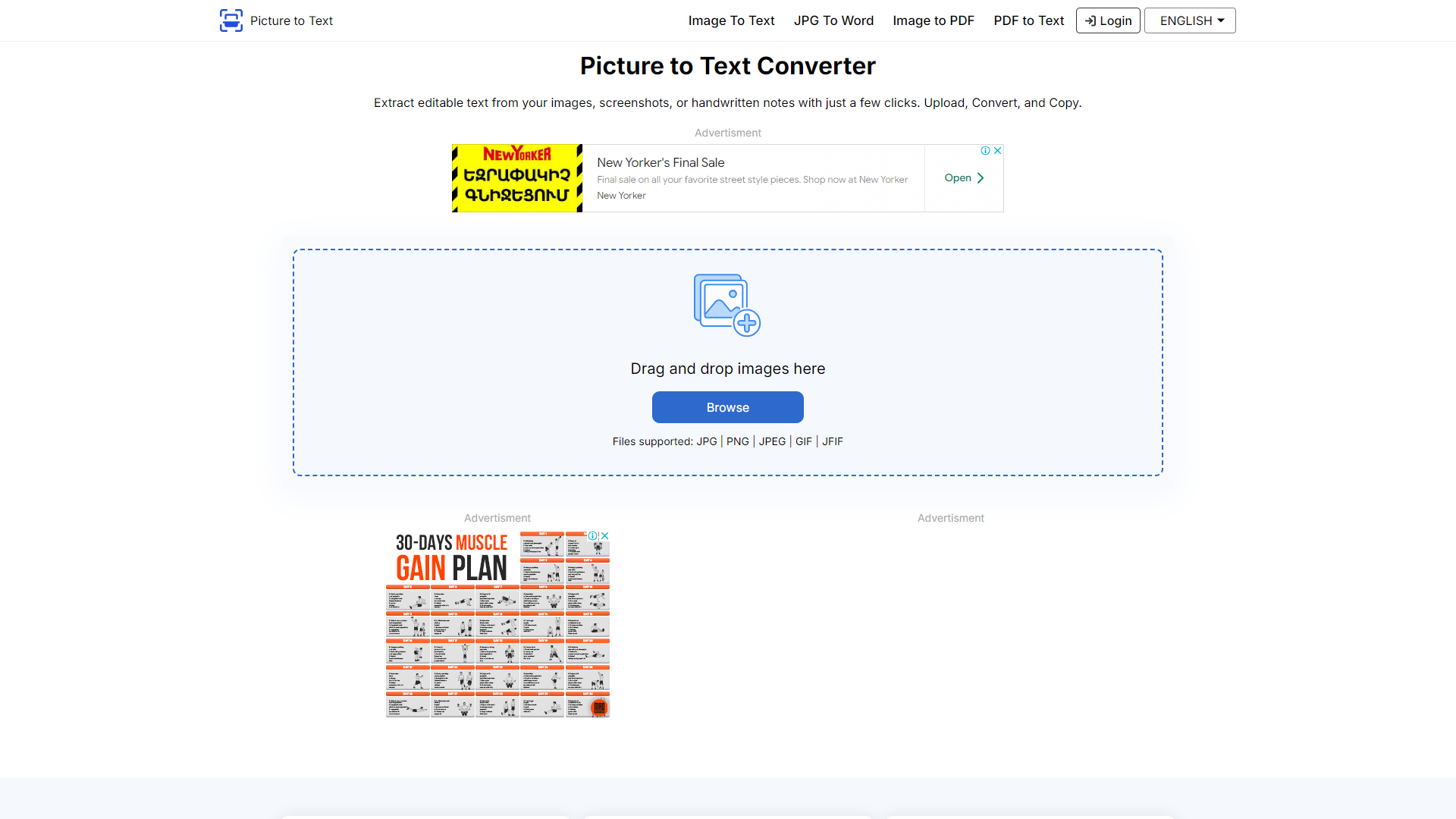
Picturetotext.info is a user-friendly online tool designed to convert images into editable text. It makes text extraction from photos, screenshots, and scans quick and easy. Whether you need to digitize printed documents or capture text from a website, this tool can be a lifesaver.
With its simple interface, Picturetotext.info allows users to upload their images effortlessly. The platform uses advanced Optical Character Recognition (OCR) technology to identify and extract text accurately. This means you don’t have to retype long documents manually, saving both time and effort.
Additionally, Picturetotext.info supports multiple languages, making it versatile for users around the world. Whether you’re a student, professional, or anyone who needs text from an image, this tool can help you achieve your tasks more efficiently.
Pros
- Highly Accurate
- Time-Saving
- No Registration Required
- Supports Multiple Languages
- Free of Charge
Cons
- Dependent on Image Quality
- Limited Advanced Features
- Internet Connection Needed
- Character Recognition Flaws
- File Size Restrictions
Clone Picturetotext info with AI
Create your own version of Picturetotext info — no coding needed. AI builds it for you in minutes.
Key features
User-Friendly Interface
The platform is designed to be intuitive, allowing users of all skill levels to convert images to text with ease.
Advanced OCR Technology
Picturetotext.info utilizes cutting-edge OCR technology to ensure high accuracy in text extraction.
Multi-Language Support
You can extract text from images in several languages, making the tool accessible globally.
Speedy Conversion
The tool quickly processes images and produces text in moments, saving you valuable time.
File Format Compatibility
Supports various image formats including JPG, PNG, and GIF, catering to different user needs.
Free to Use
No cost is involved, allowing users to convert images to text without any financial commitment.
Secure Processing
Picturetotext.info values user privacy, ensuring that uploaded images are not stored or shared.
Resilience in Text Recognition
The tool effectively recognizes text even from images with varying quality or backgrounds.
Rating Distribution
Screenshots
User Reviews
View all reviews on G2clean UI and easy to use
What do you like best about Picturetotext.info?
I like the wide range of conversion features it offers. There are various options available to convert images to other document formats. It's simple and easy to use. I almost use it regularly for my work.
What do you dislike about Picturetotext.info?
...
Easy to use, and handles basic text extraction
What do you like best about Picturetotext.info?
Picturetotext. Info is handy utility to instantly turn simple text graphics into editable format with ease. It is completely free, has a intuitive interface and allows multiple file uploading, which saves a lot of time when working with many images.
W...
It is simple, upload and get the text. Never been so easier
What do you like best about Picturetotext.info?
It has a very simple UI which helps to select the right things, by not creating much of confusion.
Just upload your picture and forget, the AI does it work very easily.
I have been trying their other products and features, like image to PDF and other...
Company Information
Alternative Image Recognition tools
Explore other image recognition tools similar to Picturetotext info



-logo.png)

FAQ
Here are some frequently asked questions about Picturetotext info.
What is Picturetotext.info?
It is an online tool that converts images into editable text using OCR technology.
Is there a cost to use Picturetotext.info?
No, it is completely free to use.
What types of images can I upload?
You can upload various image formats including JPG, PNG, and GIF.
Do I need to register to use the tool?
No, registration is not required to use Picturetotext.info.
Can it recognize text in different languages?
Yes, Picturetotext.info supports multiple languages for text extraction.
What should I do if the tool misreads text?
You can manually correct any errors in the extracted text as needed.
Is my uploaded image stored anywhere?
No, Picturetotext.info does not store or share any uploaded images.
What can I use the extracted text for?
You can use it for any purpose, such as editing documents or filling forms.