
Conversational AI

Formaloo

Formaloo makes it easy to create forms and manage data.

4.6 148 reviews G2 $12.00 Free version
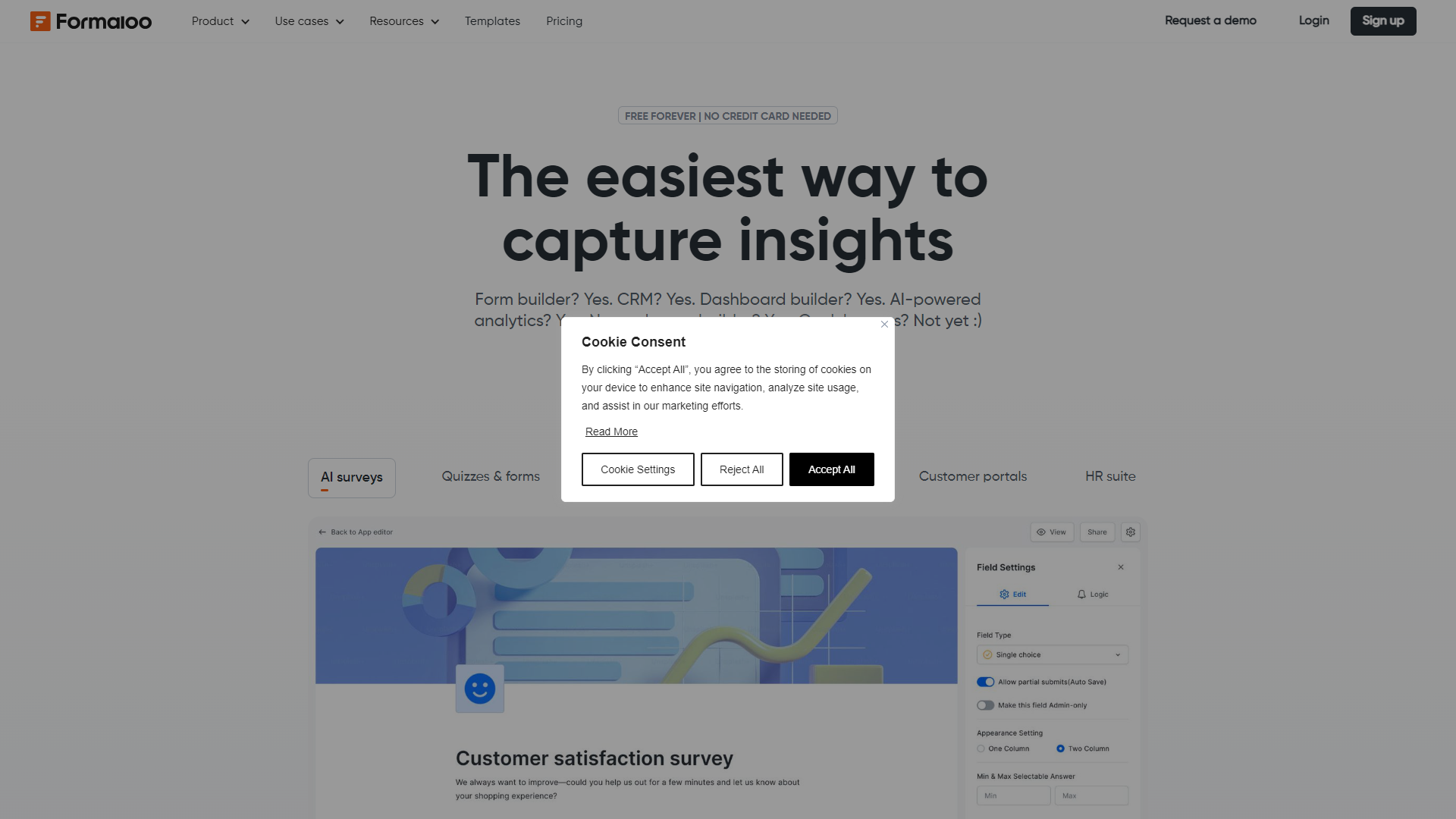
Formaloo screenshot

Overview

Formaloo is a powerful online tool that allows users to create forms, surveys, and quizzes effortlessly. Designed for both individuals and businesses, it offers a user-friendly interface that requires no programming skills. With Formaloo, you can collect data, analyze responses, and streamline workflows with ease.

One of the standout features of Formaloo is its customizability. Users can tailor their forms to match their brand’s identity, adding logos, colors, and specific questions that fit their needs. This makes it an ideal choice for marketers, educators, and anyone who needs to gather information effectively.

Furthermore, Formaloo provides robust analytics capabilities. Users can view detailed reports on responses, helping them make informed decisions based on real data. With its integration options, it connects seamlessly with other tools, enhancing productivity and collaboration across teams.

Pros

  • Easy to Use
  • Highly Customizable
  • Comprehensive Analytics
  • Responsive Support
  • Feature-Rich

Cons

  • Subscription Costs
  • Limited Free Plan
  • Learning Curve
  • Dependence on Internet
  • Customization Limits
Free

Clone Formaloo with AI

Create your own version of Formaloo — no coding needed. AI builds it for you in minutes.

Key features

User-Friendly Interface

Formaloo's intuitive design makes it simple for anyone to create and customize forms without any tech skills.

Customizable Templates

Choose from a variety of templates that can be tailored to fit your brand and purpose.

Advanced Analytics

Gain insights through detailed reports and analytics on form responses and trends.

Integration with Other Tools

Connect with popular apps like Google Sheets, Slack, and Zapier for better workflow management.

Mobile Compatibility

Forms created on Formaloo are mobile-friendly, ensuring users can respond from any device.

Secure Data Collection

Formaloo prioritizes data security, ensuring that information collected is stored safely.

Real-Time Collaboration

Teams can work together in real-time on forms, making joint projects smoother.

Multi-Language Support

Formaloo supports multiple languages, allowing you to reach a wider audience.

Rating Distribution

5
125 (83.9%)
4
19 (12.8%)
3
1 (0.7%)
2
2 (1.3%)
1
2 (1.3%)

Pricing

PlanPriceDescription
Free$0.00 (1 No credit card required!)Great for individuals
Pro$12.00 (1 creator / month (billed annually))Best for solo professionals
Team$38.00 (2 creators / month (billed annually))Great for collaboration
EnterpriseStarting at $499.00 (1 at support@formaloo.com)Dedicated Solution

Feature Ratings

Overall Satisfaction86%

Based on real user reviews. Expand a category to see individual feature scores.

Platform14 features
Customization

Allows administrators to customize to accomodate their unique processes. Includes ability to create custom objects, fields, rules, calculations, and views.

Workflow Capability

Automates a process that requires a series of steps that typically require intervention by a several different users. Administrators can write rules to determine who and when a user needs to complete a step. Also includes notification of users when they need to take action.

User, Role, and Access Management

Grant access to select data, features, objects, etc. based on the users, user role, groups, etc.

Internationalization

Enables users to view and transact business with the same content in multiple languages and currencies.

Sandbox / Test Environments

Allows administrators to easily develop and test changes to the CRM deployment. After changes are made admins can easily migrate the changes into the "live" or "production" environment.

Document & Content Mgmt.

Allows consuming, publishing and editing content from a central interface. Content management for CRM systems might include presentations, documents, images and other related electronic files.

Performance and Reliability

Software is consistently available (uptime) and allows users to complete tasks quickly because they are not waiting for the software to respond to an action they took.

Output Document Generation

Allows adminstrators to create templates that enable users to quickly generate dynamic documents in various formats based on the data stored in the application.

Integrations

Allows easy integrations with applications, such as messenger applications, APIs, and customer support tools.

Branding

Has the ability to customize look and feel of chatbot to match` company branding.

Analytics

Gives user the ability to analyze conversations with the chatbot and see its performance.

A/B testing

Allows users to test the efficacy of various responses through A/B testing.

Role-based access

Allows for varying access to chatbot and admin settings, depending on user, their role, etc.

Collection of information

Can collect and store information from interlocators, such as email, phone number, etc.

Sales Force Automation9 features
Contact & Account Management

Store and retrieve information associated to customer contacts and accounts. Track company-wide communication and information about contacts and accounts.

Partner Relationship Mgmt. (PRM)

Manage partners by tracking channel partner leads and sales opportunities. Provide a partner portal to collaborate with channels on sales opportunities and to share product, pricing, quoting, ordering, and training information

Opportunity & Pipeline Mgmt.

Manage sales opportunities through their lifecycle from lead to order. Track stages, values, and probabilities of close. Manage sales pipelines by individual sales rep, team, region, and company-wide.

Task / Activity Management

Manage and track tasks and activities. Assign due dates and integrate to calendars to manage daily schedules and priorities.

Territory & Quota Management

Assign and manage sales quotas and territories. Track progress against quotas. Change as needed.

Desktop Integration

Allows users to sync their Email, Calendar and Contact tools with their CRM system. Includes Microsoft Outlook and Google integration.

Product & Price List Management

Enter product/part numbers and manage the prices associated with them. Typically functionality allows users to add products and prices to opportunities and quotes if these modules are provided within the same system.

Quote & Order Management

Allows users to create a quote to be provided to a customer that contain at least products, prices and associated discounts. Order management allows users to process orders that contain products, prices and associated discounts.

Customer Contract Management

Management of contracts made with customers. Contract management includes negotiating the terms and conditions in contracts and ensuring compliance with the terms and conditions, as well as documenting and agreeing on any changes or amendments that may arise during its implementation or execution.

Marketing Automation4 features
Email Marketing

Allows users to send email to contacts in bulk. Common features include: Built in Email templates, social media integration, Subscriber list management, sign up forms, success rate reports, AB testing and auto-responders.

Campaign Management

Optimizes the process for organizations to develop and deploy multiple-channel marketing campaigns to target groups or individuals and track the effect of those campaigns, by customer segment, over time.

Lead Management

Allows users to manage and track leads though a process. The lead process typically involves steps such as: 1. Lead Generation, 2. Customer Inquiry, Inquiry Capture, Lead Filtering, Lead Grading, Lead Distribution and Lead Qualification.

Marketing ROI Analytics

Enables analysis of effectiveness of an organizations various marketing activities

Customer Support5 features
Case ManagementView full feature definition

Tracks issues/help requests reported by customers through the resolution process.

Customer Support Portal

Provides a convenient way for customers to get answers to inquiries, post service issues, place orders, view order histories, and gain access to other information contained in the knowledge base.

Knowledge Base

Information repository that provides a means for information to be collected, organized, shared, searched and utilized. Allows customers to get answers to common questions.

Call Center Features

Allows customer support professionals access to all information required to support the customer including customer information, case history and related customer social activity. Common features include: call recording, analytics, workforce management, call script management, and compliance management.

Support Analytics

Enables analysis of customer support activities to optimize customer support professionals, processes and tools.

Integration3 features
Data Import & Export Tools

Ability to input, modify and extract data from the application in bulk through a structured file.

Integration APIs

Application Programming Interface - Specification for how the application communicates with other software. API's typically enable integration of data, logic, objects, etc with other software applications.

Breadth of Partner Applications

To what extent are there partner applications readily available for integrating into this product? Partner applications typically provide complementary, best of breed functionality not offered natively in this product.

Mobile & Social3 features
Social Collaboration Features

Enables multiple users to interact by sharing information to achieve a common goal. Social collaboration focus's on the identification of groups and collaboration spaces in which messages are explicitly directed at the group and the group activity feed is seen the same way by everyone

Social Network Integration

Use public social networks to listen and engage with customers. Allows users to filter what’s important and respond quickly. Often this functionality allows questions and requests from customers on social networks to case management.

Mobile User Support

Allows software to be easily used on multiple mobile devices include phone and tablet devices.

Reporting & Analytics3 features
Reporting

Enables reporting of all data contained within the system. Typically contains standard reports as well as the ability to create ad-hoc reports.

Dashboards

An easy to read, often single page, real-time user interface, showing a graphical presentation of the current status and historical trends of an organization’s Key Performance Indicators (KPIs) to enable instantaneous and informed decisions to be made at a glance

Forecasting

Enables projection of sales revenue, based on historical sales data, analysis of market surveys and trends, and salespersons' estimates.

User Interface Design84% 4 features
WYSIWYG Editor81%

Provides the ability to drag-and-drop elements into the application to customize interface. This feature was mentioned in 17 Formaloo reviews.

Based on 17 reviews
Customized Branding87%

As reported in 19 Formaloo reviews. Provides tools for inserting brand logos, colors, quotes, and other proprietary content.

Based on 19 reviews
App Templates84%

Provides base-level application templates to build atop and customize for specifc users and actions. This feature was mentioned in 18 Formaloo reviews.

Based on 18 reviews
Workflow Management83%

As reported in 18 Formaloo reviews. Allows the creation ofpage sequences, forms, and libraries for users navigating the application.

Based on 18 reviews
Data Control83% 3 features
Data Migration82%

Lets users add data from existing sources when creating the initial application or changing data sources. 10 reviewers of Formaloo have provided feedback on this feature.

Based on 10 reviews
Data Synchronization79%

Based on 13 Formaloo reviews. Continuously updates data as users or external data sources are edited.

Based on 13 reviews
Data Security88%

Encrypts or provides some form of firewall to prevent external parties from accessing sensitive data. This feature was mentioned in 14 Formaloo reviews.

Based on 14 reviews
Publishing85% 3 features
Application Deployment85%

As reported in 13 Formaloo reviews. Releases the application for access on desktop or mobile devices.

Based on 13 reviews
Platform Compatibility86%

Lets users build cross-platform applications or provide specific templates for different device types. This feature was mentioned in 16 Formaloo reviews.

Based on 16 reviews
Lifecycle Management85%

Provides ability to manage application and maintenance from build, throughout the release, and until it's deactivation. 11 reviewers of Formaloo have provided feedback on this feature.

Based on 11 reviews
Data Sourcing88% 4 features
Data Enrichment86%

Based on 11 Formaloo reviews. Uses external data sources to improve customer profiles.

Based on 11 reviews
Expandability89%

As reported in 11 Formaloo reviews. Can be updated to accept new sources and types of data.

Based on 11 reviews
Content Marketing89%

Can act as a content marketing platform. This feature was mentioned in 12 Formaloo reviews.

Based on 12 reviews
Multiple Devices88%

As reported in 14 Formaloo reviews. Can engage with customers across any device with a consistent message.

Based on 14 reviews
Intelligence92% 3 features
Marketing Metrics92%

Provides analysis of marketing program ROI and efficiency. 13 reviewers of Formaloo have provided feedback on this feature.

Based on 13 reviews
Predictive Modeling

Predicts outcomes based on statistical models; can give insight to "what-if" scenarios.

Recommendation Engine

Uses artificial intelligence to provide suggestions based on desired outcomes.

Responses1 feature
Customization

Customize your chat workflows with rules and automations.

Survey Management90% 4 features
Survey Builder94%

Enables users to create surveys through a simple drag-and-drop or WYSIWYG editor This feature was mentioned in 54 Formaloo reviews.

Based on 54 reviews
Question Types91%

As reported in 54 Formaloo reviews. Allows the use of various question types such as open-ended, closed-ended, multiple choice, and ratings

Based on 54 reviews
Templates85%

Offers pre-built templates for creating surveys with different audiences or use cases 53 reviewers of Formaloo have provided feedback on this feature.

Based on 53 reviews
Survey Distribution88%

Provides tools for distributing surveys through email, SMS, social media, etc. 48 reviewers of Formaloo have provided feedback on this feature.

Based on 48 reviews
Survey Customization87% 4 features
Branching/Skip Logic88%

As reported in 50 Formaloo reviews. Helps create more intelligent surveys based on respondent's actions and answers

Based on 50 reviews
Branding88%

As reported in 50 Formaloo reviews. Allows users to customize survey colors, logos, and URLs to match company branding

Based on 50 reviews
Multimedia Support90%

Ability to embed videos, photos, or other rich media 42 reviewers of Formaloo have provided feedback on this feature.

Based on 42 reviews
Multilingual Surveys80%

Allows for creation of surveys in different languages and advanced survey translation 36 reviewers of Formaloo have provided feedback on this feature.

Based on 36 reviews
Survey Insights87% 4 features
Reporting & Analytics86%

As reported in 47 Formaloo reviews. Provides tools to visualize and analyze data

Based on 47 reviews
BI Tools Integration83%

As reported in 29 Formaloo reviews. Allows integration with third -party reporting and business intelligence applications

Based on 29 reviews
Data Exporting88%

As reported in 44 Formaloo reviews. Allows users to export reports from the product into an .xsl, .csv, or .pdf file

Based on 44 reviews
Permissions90%

As reported in 43 Formaloo reviews. Allows administrators to set permissions on viewing, filtering, or sharing survey results

Based on 43 reviews
Customization88% 4 features
Custom Fields89%

Allows users to add custom fields to forms that aren't already on the templates 53 reviewers of Formaloo have provided feedback on this feature.

Based on 53 reviews
Conditional Logic86%

Based on 52 Formaloo reviews. Enables forms to hide or show certain fields based on respondents' answers

Based on 52 reviews
Multi-page Forms93%

As reported in 56 Formaloo reviews. Allows users to create forms with more than one page

Based on 56 reviews
Design85%

As reported in 56 Formaloo reviews. Gives users the ability to customize the design of forms (e.g. logo, brand colors, fonts, etc.)

Based on 56 reviews
Additional Functionality84% 5 features
Embedded Forms90%

Based on 53 Formaloo reviews. Enables forms to be embedded onto a website without having to create code from scratch

Based on 53 reviews
Offline Capability74%

As reported in 33 Formaloo reviews. Can used without an internet connection

Based on 33 reviews
Notifications83%

Sends notifications when a completed form is recieved This feature was mentioned in 46 Formaloo reviews.

Based on 46 reviews
Payments80%

As reported in 33 Formaloo reviews. Contains integrations with payment processors, enabling users to accept payments through forms

Based on 33 reviews
Mobile Forms91%

Allows users to build, distribute and access forms from a mobile device 52 reviewers of Formaloo have provided feedback on this feature.

Based on 52 reviews
Generative AI3 features
AI Text Generation

Allows users to generate text based on a text prompt.

AI Text Generation

Allows users to generate text based on a text prompt.

AI Text Summarization

Condenses long documents or text into a brief summary.

4.6
★★★★★
Based on 149 reviews
Alexandre S.Paid media and digital strategistSmall-Business(50 or fewer emp.)
August 29, 2024
★★☆☆☆

updated - this tool is very confusing!

What do you like best about Formaloo?

On a positive note, the conditional logic feature is ok.

What do you dislike about Formaloo?

Update: Initially, I thought it was easy to use, but it's actually quite the opposite—it's very confusing. I don't like the user interface; it doesn’t feel user-friendl...

Read full review on G2 →
Rohit K.Web DeveloperMid-Market(51-1000 emp.)
December 31, 2023
★★★★★

Formaloo is fantastic

What do you like best about Formaloo?

I have use Formaloo's feature for a variety of tasks throughout this period, such as making exams and quizzes for my students, running marketing surveys, making forms for events, and expediting lead sifting. My encounters with Formaloo have been outstanding! It ...

Read full review on G2 →
Eric B.International Business DevelopmentSmall-Business(50 or fewer emp.)
December 28, 2023
★★★★★

Easy forms and Easy apps and portals

What do you like best about Formaloo?

What I enjoy the most ease the ease of creating forms. Formaloo is fantastic in the way that they pushed the form creation to app creation and mixed easy forms creation but also app creations. You can easily access the results of the forms but when you create an...

Read full review on G2 →
Gaurav A.Marketing ConsultantSmall-Business(50 or fewer emp.)
December 20, 2023
★★★★★

Effortless No-code Business Solution

What do you like best about Formaloo?

We've significantly improved our data management and operational efficiency since using this no-code platform. The ready-to-use templates and intuitive form builders are standout features, enabling us to launch applications swiftly without coding expertise. We u...

Read full review on G2 →
flaskaspain P.Sales ManagerSmall-Business(50 or fewer emp.)
July 19, 2024
★★★★★

The ultimate tool for your lead generation business

What do you like best about Formaloo?

Easy to use, we do not need to relay on WP or other platforms that requiere hosting and coding. Formaloo provides all we need out the box

What do you dislike about Formaloo?

There are certain limitations with the platforms th at integrate with, but overall it i...

Read full review on G2 →

Company Information

LocationToronto, CA
Founded2020
Employees23
Twitter @formaloo

Alternative Conversational Intelligence tools

Explore other conversational intelligence tools similar to Formaloo

FAQ

Here are some frequently asked questions about Formaloo.

What is Formaloo?

Formaloo is an online software that helps users create forms, surveys, and quizzes easily.

Is Formaloo free?

Formaloo offers a free plan with limited features. Paid plans are available for more advanced options.

Can I customize my forms?

Yes, Formaloo allows you to add personal touches like logos and colors to match your brand.

Does Formaloo provide analytics?

Yes, it offers detailed analytics to help you understand the responses to your forms.

Is my data safe with Formaloo?

Formaloo prioritizes data security and employs measures to protect the information you collect.

Can I integrate Formaloo with other tools?

Yes, Formaloo integrates with various tools like Google Sheets, Slack, and many others.

Are the forms mobile-friendly?

Absolutely! Forms created with Formaloo are designed to be responsive on mobile devices.

How do I get support?

You can reach out to Formaloo's support team through their website for assistance.