

Overview
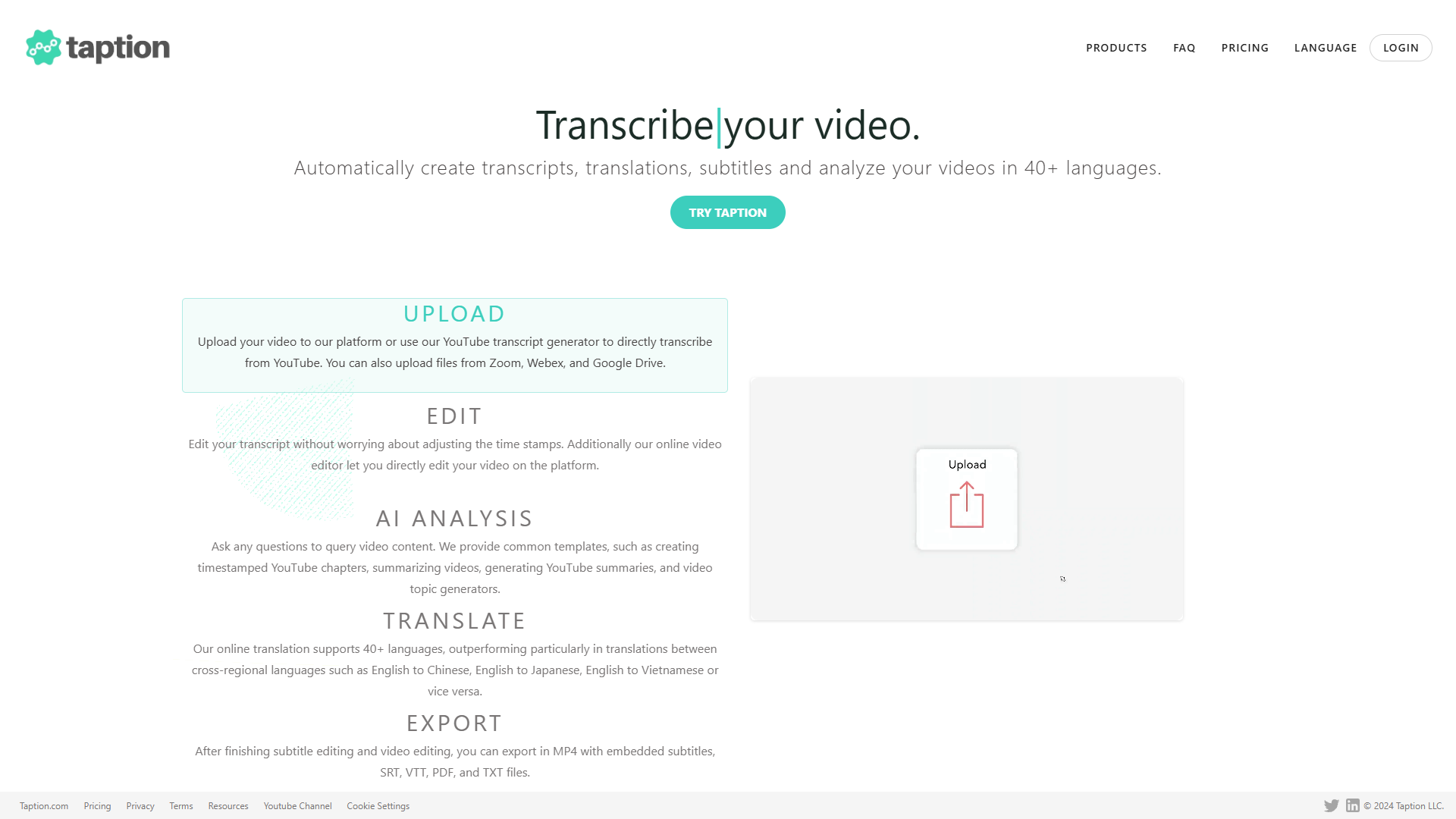
Taption is an innovative tool designed to cater to anyone in need of quick and precise transcription, translation, and subtitling services. Imagine having your spoken content effortlessly transformed into written form. Whether you're a content creator, educator, or a business professional, Taption offers you a streamlined solution to ensure your audio and video files are accessible to all.
Taption stands out by delivering accurate and timely transcripts, which can also be translated into multiple languages, broadening the reach of your content. The software is particularly useful for creating subtitles, thus making videos more understandable and accessible to non-native speakers or the hearing impaired. Its core advantage is its efficiency, saving you the trouble and time of manual transcription and translation. No more struggling with language barriers or intricate manual processes, as Taption handles the complexities for you.
Pros
- Accurate and timely results
- Broad language support
- Improves content accessibility
- Simple user experience
Cons
- Limited offline functionality
- Possible occasional errors
- Subscription requirement
- No free plan available
Clone Taption with AI
Create your own version of Taption — no coding needed. AI builds it for you in minutes.
Key features
Automatic transcription service
Taption offers an advanced transcription feature that quickly and accurately converts spoken words to written text, saving time for users who need content in text form quickly.
Efficient translation capabilities
With Taption, users can easily translate transcriptions into multiple languages, broadening their content reach without the hassle of manual translation.
Subtitle generation assistance
The tool allows users to generate subtitles for videos, ensuring accessibility for users who speak different languages or those with hearing impairments.
User-friendly interface
Taption provides an intuitive interface that is easy to navigate, making the transcription, translation, and subtitling process smooth for users of all levels.
Quick processing time
Taption ensures that users receive their transcriptions and translations promptly, allowing them to meet tight deadlines efficiently.
Rating Distribution
Screenshots
User Reviews
View all reviews on G2Taption provides faster and quality transcriptions.
What do you like best about Taption?
It gives accurate transcriptions with very minimal edits needed. Very quick and it does the job better than most alternate tools in the market. Their customer support is also very vigilant and aware of their users' needs.
What do you dislike about Taption?
Excep...
It's one of the best transcription tools in business.
What do you like best about Taption?
I love the accurate transcriptions it generates which makes our work easy. Most tools need editing efforts after they generate the transcriptions but with Taption the editing required is very less.
What do you dislike about Taption?
I do not have any dislikes wi...
Alternative Ai Writer tools
Explore other ai writer tools similar to Taption





FAQ
Here are some frequently asked questions about Taption.
What is Taption used for?
Taption is used for generating automatic transcripts, translations, and subtitles from spoken content, making it a valuable tool for content creators, educators, and business professionals looking to make their audio and video content more accessible.
Can Taption translate my transcripts into multiple languages?
Yes, Taption can translate transcripts into several languages, enabling users to reach a global audience by overcoming language barriers efficiently.
How does Taption handle audio quality issues?
While Taption is equipped to process and transcribe various audio formats, the quality of the transcription may be affected by poor audio quality. Users are encouraged to upload clear recordings for the best results.
Can I use Taption offline?
Currently, Taption's services require an internet connection to function since the processing and transcription services are hosted online. There is no offline version of the service available.
Does Taption provide real-time transcription?
Taption primarily focuses on post-event transcription services rather than live or real-time transcription. Users upload their audio or video files, and Taption processes them to deliver accurate and timely transcripts.
Is there a free version of Taption available?
Currently, Taption does not offer a free version or trial. Access to its features requires a subscription, which provides users with advanced transcription and translation capabilities.
What file types are supported by Taption?
Taption typically supports common audio and video file formats. Users can upload these files to the platform for transcription and translation; however, it's always best to check directly with Taption for specific file compatibility.
How fast is the transcription process with Taption?
The transcription time with Taption depends on the length and complexity of the uploaded content. However, it is designed to deliver results promptly, helping users meet deadlines efficiently.